• Pricing
  • Download the App to Submit YourCertificate Translation.

    Submit your documents for certified translation in minutes using the Dovi App. Follow our interactive visual guide below.

    Step-by-Step Instructions

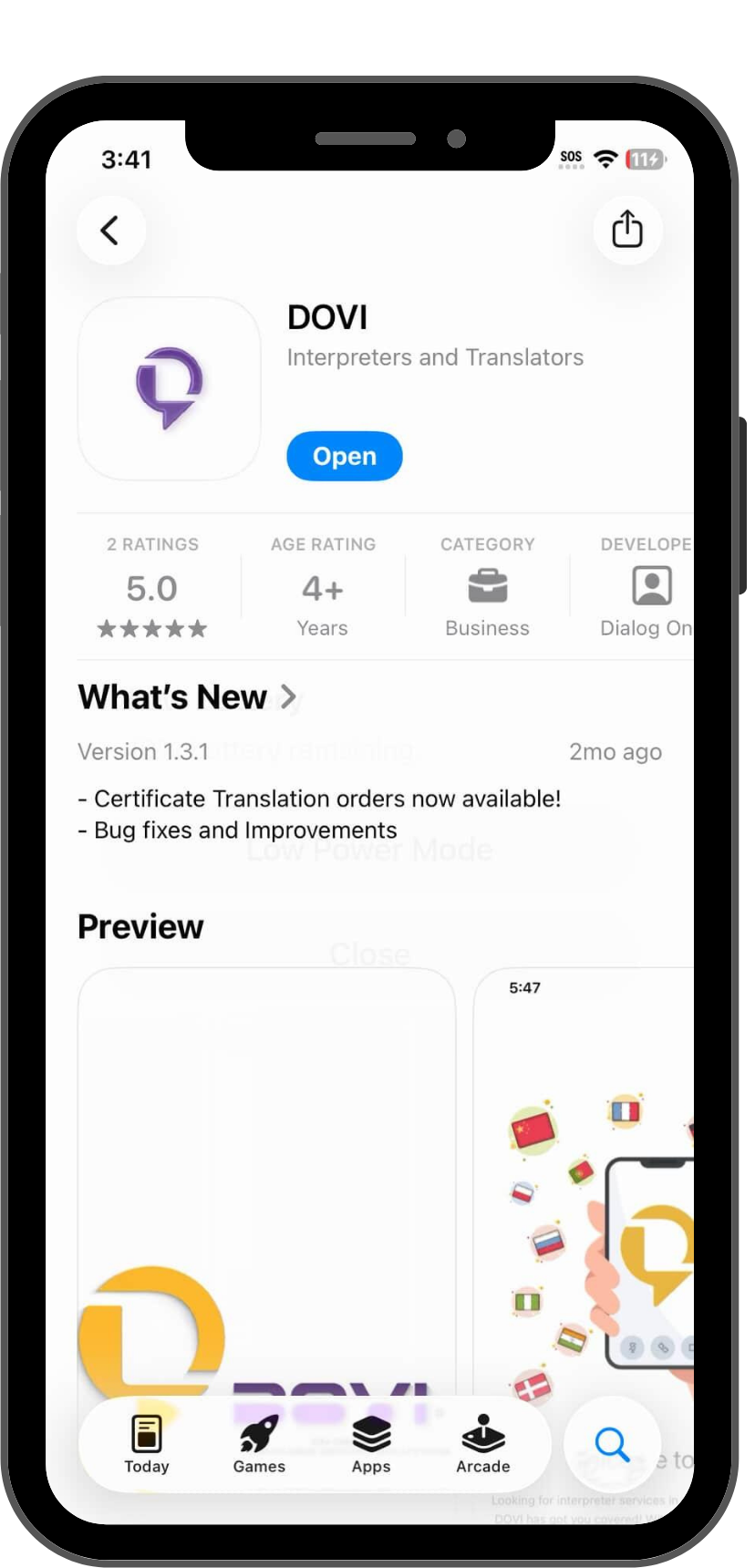
    Download the Dovi App

    Start by downloading the app from your preferred store. Dove App is available on both iOS and Android platforms, optimized for the latest mobile devices.

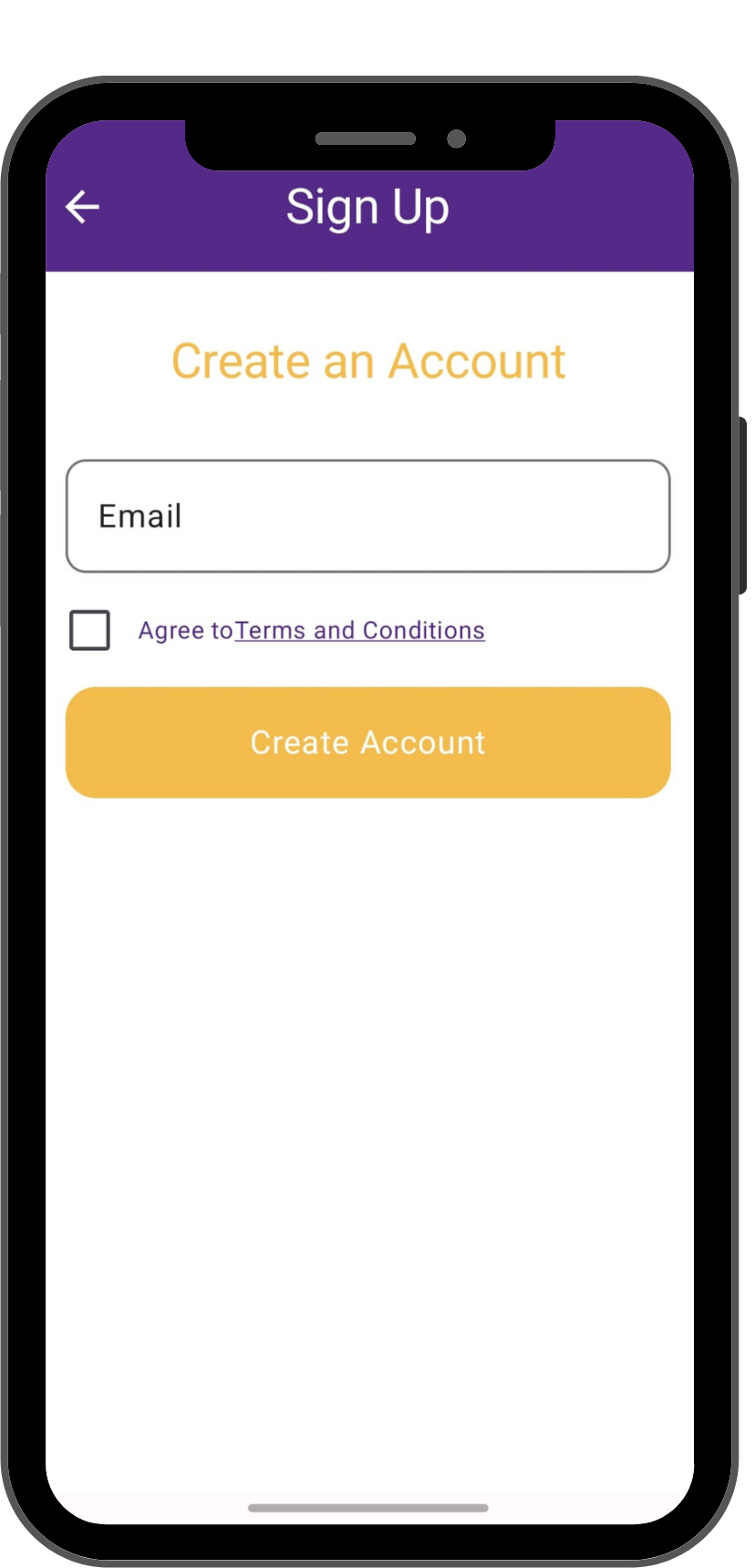
    Register & Secure Your Account

    Once the app is installed, open it and register your account. This ensures your sensitive documents are kept secure and all communications regarding your translation are centralized.

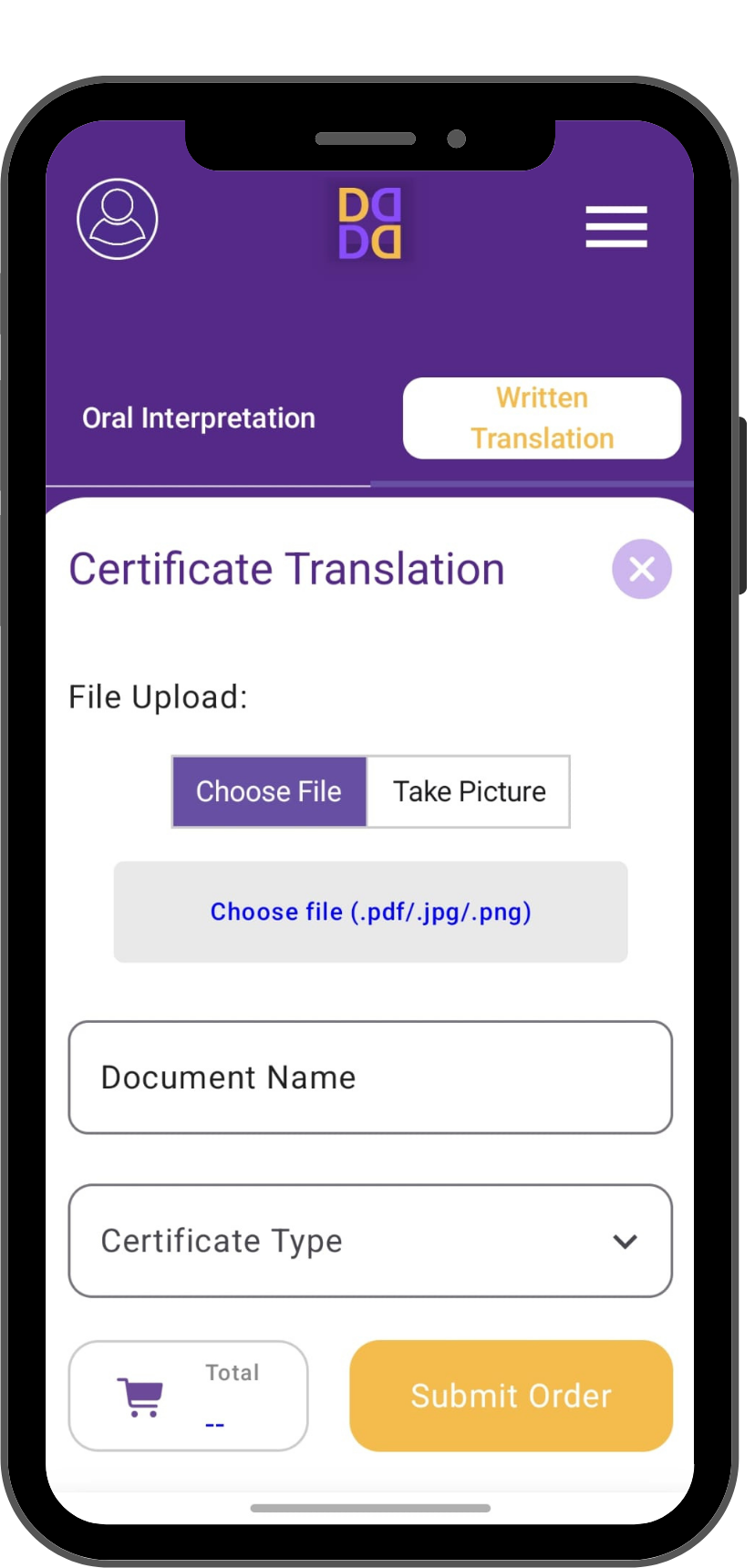
    Select Document Services

    In the main dashboard, you will see several options. Look for the tabs at the bottom or top of the screen. Tap on the tabΒ other than “Interpreter Services”Β to access Document Translations.

    Submit Your Translation

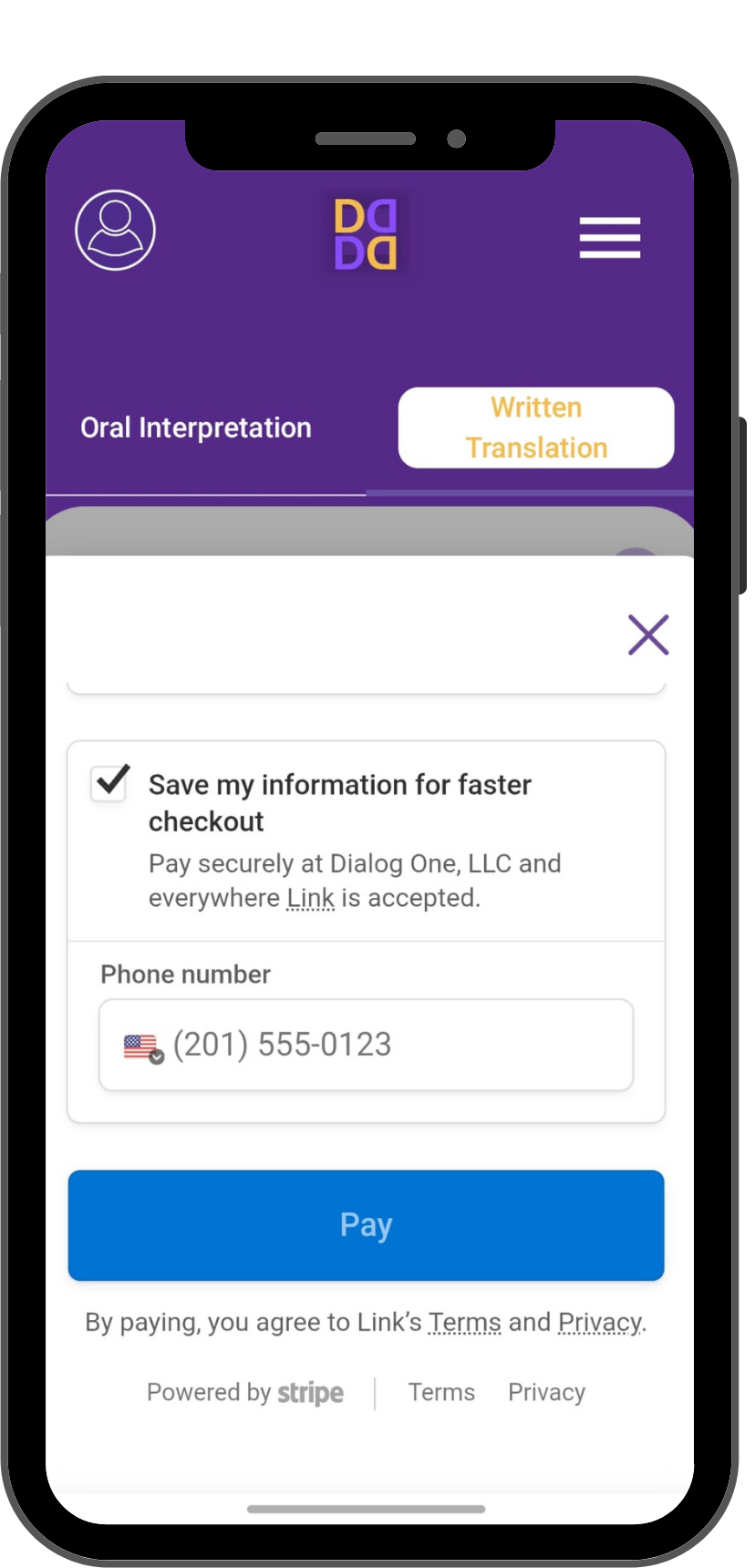
    Finally, click the submission button within the translation tab. You can take a clear photo of your certificate or upload a digital file. Our experts will review it and provide your translation promptly.

    Ready to Break Down Language Barriers?

    Download DOVI today and gain a world of understanding in your pocket. Your first step to seamless communication starts now.

    Get Your Translation Quote Now

    To provide you with the most accurate pricing, we’ll need a few details about your document. Please create a quick account to start your quote request!

    Create Account & Get Quote